The Halifax brand is changing to Lloyds


Hello there

Halifax has been part of the same family as Lloyds for many years, alongside Bank of Scotland. Over the coming months, the Halifax brand is changing to Lloyds.

Watch our video to find out more (52 secs).

Your questions answered

What this means for you

Your accounts and policies work the same

Everything about how your accounts work stays the same, including:

  • account numbers, sort codes, policy numbers and roll numbers  
  • card details and PINs
  • standing orders and direct debits
  • payments and repayments .

The brand of your Halifax accounts and policies will change over time

There’s no change to your account or policy features and benefits today. Over time, the brand of your Halifax accounts and policies will change to Lloyds. Updates may happen at different times, and we’ll always let you know before anything changes.

As we’re part of the same family, you can already manage your money using the Halifax, Lloyds or Bank of Scotland apps, online banking and branches.

If you use the Halifax app and online banking – we’ll invite you to move across to Lloyds

Over the next few months, we’ll be in touch to move you to the Lloyds app and online banking as we’ll be closing these for Halifax. They work in a similar way so should feel familiar and just as easy to use.

We’ll send you an invitation in the app and online banking, so you’ll know it’s from us. It’ll guide you through the process in just a few easy steps, with no passwords or memorable details to set up. We’ll also email you around the time the invite will appear, so you don’t miss it. 

If you have Lloyds login details, you don’t need to do anything​

If you already use the Lloyds app or online banking, you’re all set and you’ll be able to see your Halifax accounts there.​

If you have Lloyds login details from a business banking account, these will now also work with the Lloyds personal app and online banking, and your business accounts will stay separate.​

If you don’t have the Lloyds app yet, you can download it and start using it whenever you’re ready.

Get the Lloyds app

Moving across to the Lloyds app in just a few clicks

We've made the move simple and secure.
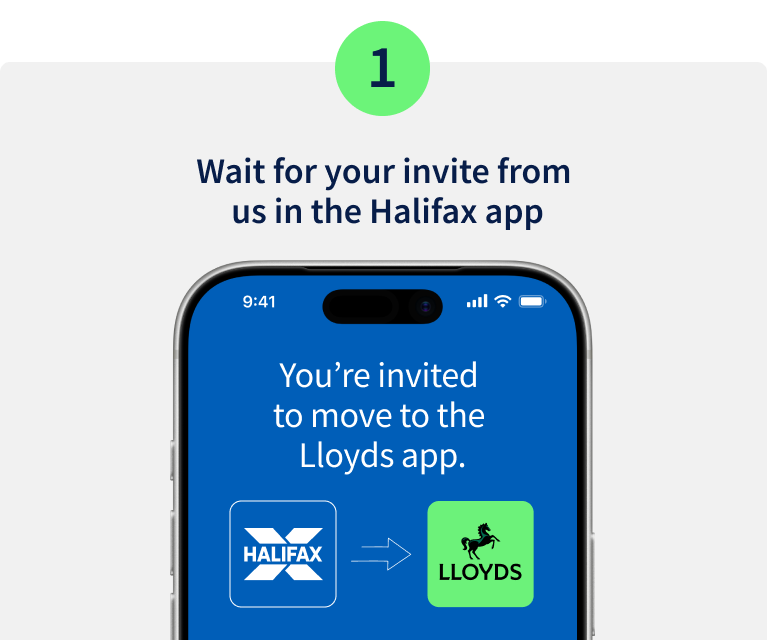
Step 1. Wait for your invite from us in the Halifax app. Image of mobile phone screen with the Halifax logo and an arrow to the Lloyds logo.

Open the Halifax app and select the message to start your move to Lloyds.
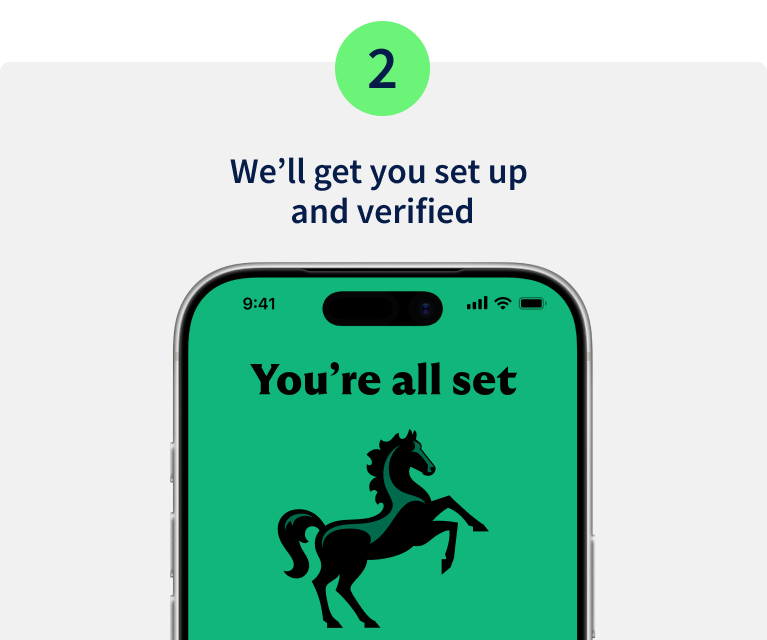
Step 2. We'll get you set up and verified. Image of mobile phone displaying the Lloyds logo with the message You're all set.

We'll take you to the Lloyds app and in a few quick steps, you'll be set up. You can use biometrics and continue using your existing password and memorable information.
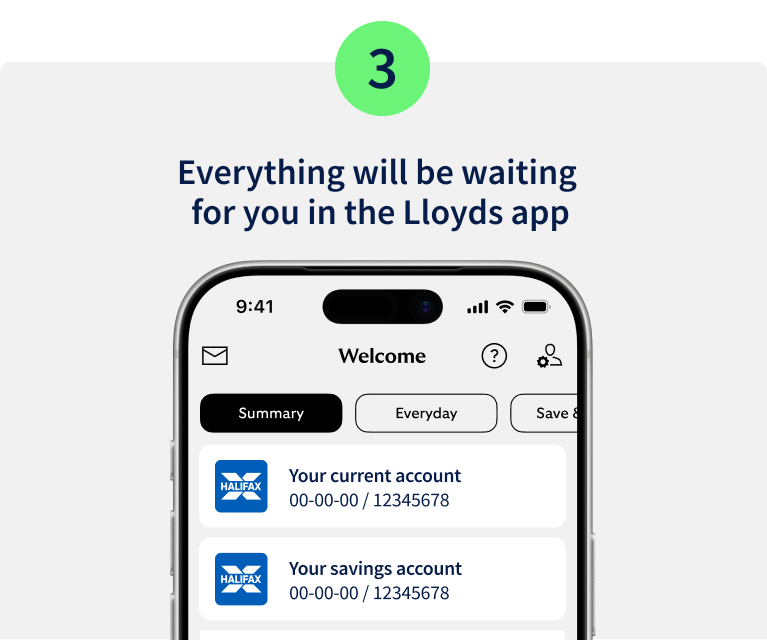
Step 3. Everything will be waiting for you in the Lloyds app. Image of mobile phone displaying Halifax accounts in the Lloyds app.

The Lloyds app looks and works a lot like the Halifax app, so it should feel familiar straight away. Your accounts and policies will be there ready for you to manage, just as you do today.

Your security comes first

Our promise on fraud

We want you to feel safe during this brand change.

Any action will always start in your app or online banking, not from a link, message or call.

If someone is asking you to do something another way, it's not us, it’s a fraudster.

Visit the fraud hub

What to expect from us

  • Updates by email, letter, or in the Halifax app or online banking.
  • Clear notice when it’s time to move to Lloyds.
  • The same protection you get today.

What we’ll never do

  • Ask you to log in or verify yourself using a link or QR code.
  • Ask for personal details by phone, text or email.
  • Ask you to move your money.

More support with this change
 

Financial abuse support

If your circumstances mean this change could affect who can see certain accounts or impact your financial independence, we’re here to support you.

Contact us
Image of man drinking a smoothie

Someone to manage your affairs

If you help manage someone else’s accounts or have someone help manage your accounts, there’s a few extra things to know about how this will work in future.

Representative access

Your questions answered

Product FAQs

What the change to Lloyds means for Halifax products.
Mortgages

What it means for new and existing mortgage accounts.

Mortgage FAQs

Current accounts

What it means for new and existing bank accounts.

Current account FAQs

Savings

What it means for new and existing savings accounts.

Savings FAQs

Investments and pensions

What it means for new and existing investments and pensions.

Investment and pension FAQs

Loans

What it means for new and existing loans accounts.

Loan FAQs

Credit cards

What it means for new and existing credit card accounts.

Credit card FAQs

Car finance and leasing

What it means for new and existing car finance and leasing accounts.

Car finance and leasing FAQs

Protection cover

What it means for new and existing protection policies.

Protection cover FAQs

Insurance

What it means for new and existing home, car and business insurance accounts.

Insurance FAQs

Need help?

If you're registered for online banking, the fastest way to get in touch is by messaging us securely online.


Message us

Our virtual assistant can easily answer most questions. If it can't help, we'll pass you onto someone who can.

How to message us


What to expect when you Bank on Lloyds

Customers have been trusting Lloyds to support their financial goals for generations, backed by 250 years of stability and expertise. As the Halifax brand changes to Lloyds, you’ll have access to a wide range of financial products to help you meet your financial goals, big or small.