Check your balance

You can do this online

  • Keep on top of your money, wherever you are.
  • Catch unexpected payments straight away.
  • Help avoid spending more than you mean to.

How to do it

Let us show you step by step.

    1. Log in to the app.
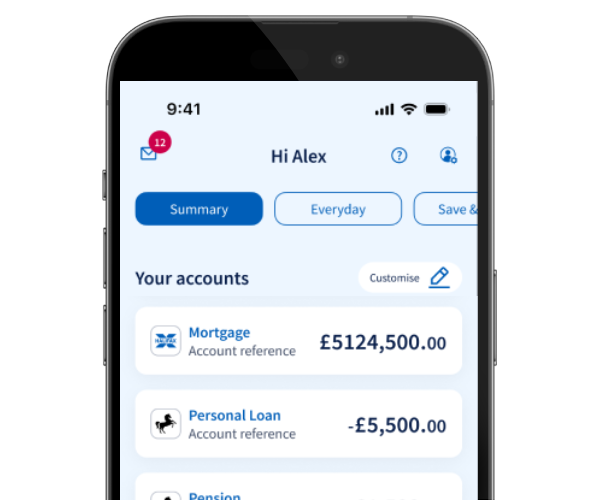
    2. The summary space will list your accounts and their balances.
    3. Select an account to see more information on recent and historic payments in and out.
    1. Log in to online banking.
    2. The home screen will list your accounts and their balances.
    3. Select the account name or ‘View statement’ to see more information on recent and historic payments in and out.

Get set up online

Mobile banking app

Join our 8 million app users.

  • Simple and secure login.
  • Stay up to date with notifications.
  • Chat to us online.

Download app

Online banking

Log in to view or manage your accounts on our website.

Log in

Register

Let’s take a closer look

  • In the app, you can quickly see the balances for all your key accounts, including:

    • bank accounts
    • savings accounts
    • credit cards
    • loans
    • mortgages
    • investments.

    Everything’s in one place, so it’s simple to stay on top of your money.

  • If you have accounts with other banks, you can add them to our app using Open Banking. This lets you see all your balances together, safely and securely.

    To connect an account

    1. Log in to the mobile app.
    2. Go to your 'Everyday' space.
    3. Select the 'Add accounts' tile.
    4. Choose the bank you want to link.
    5. When prompted, log in securely to your other bank and approve access.

    Once that’s done, your chosen account will appear in your 'Summary' space, along with its balance.

    Your login details for other banks are never shared with us. You stay in control of what you share, and we’ll check with you every 90 days to make sure you’re still happy to keep sharing data. You can change or remove these connections anytime in 'Profile and settings' under Open Banking connected accounts.

    If you’d like to know more, take a look at our Open Banking page.

  • You can view up to 7 years of transactions in the app. If you need anything older than that, just contact your local branch and they’ll be happy to help.

You might also like

Open banking

Find out how to see your accounts with different banks in our mobile banking app.

More about open banking

Statement notifications

Get notified when you have a new statement to view in our app.

Set up notifications

Go paper-free

Change paper-free options for your statements and communications.
Manage your paper options

More help with statements

Download statements, check pending transactions or see where a payment was made. 

See our guides

More help with statements

Download statements, check pending transactions or see where a payment was made. 

See our guides