Manage the people you pay

You can do this online

  • Control the list of people you pay in Online Banking or our Mobile Banking app.
  • Add or delete someone at any time.
  • Keep the list under control and remove clutter.
Manage recipients image

How to do it

Let us show you step by step.

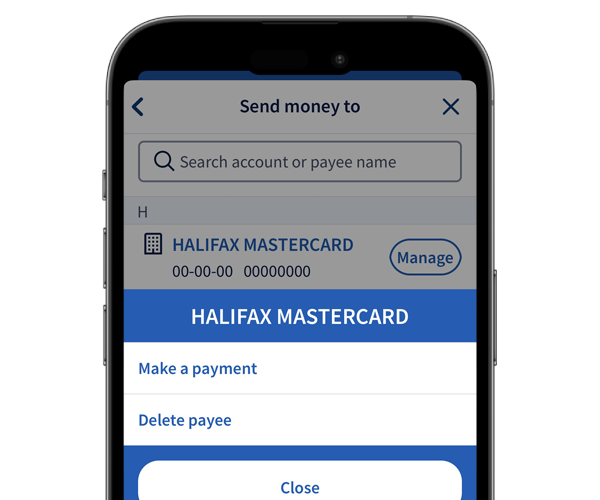
    1. Sign in and select Pay & transfer from your account.
    2. Select Choose who to pay.
    3. To add a recipient, select Pay new. To pay or delete an existing recipient, select Manage next to their details. You can choose to make a payment or delete them.
    4. All done. You've added, paid or deleted that recipient.
    1. Sign in and select More actions from your account.
    2. Select Payments and Transfers, then Manage Recipients.
    3. Manage your existing recipients using the Pay link or X icon.
    4. All done. You've paid or deleted that recipient.

Get set up online


The Halifax brand is changing to Lloyds

If you don’t currently use online or mobile banking, you can start using the Lloyds app now to see your existing Halifax accounts. Once you’ve downloaded it, you can set it up using your Halifax account details.

How to get online

More on the change

You might also like

Pay someone new

Follow our step-by-step instructions on how to pay someone new in the app or in online banking.

How to pay someone new

Message us online

Get answers to your everyday banking questions. Log in to our app or online banking to get in touch.

How to message us

Do more with the app

Find out about all the great features of our highly rated app, and how it compares to online banking.

More about the app

More help with payments

Track down regular payments, share your bank details or pay in a cheque on your phone.

See our guides

More help with payments

Track down regular payments, share your bank details or pay in a cheque on your phone.

See our guides